










Contents
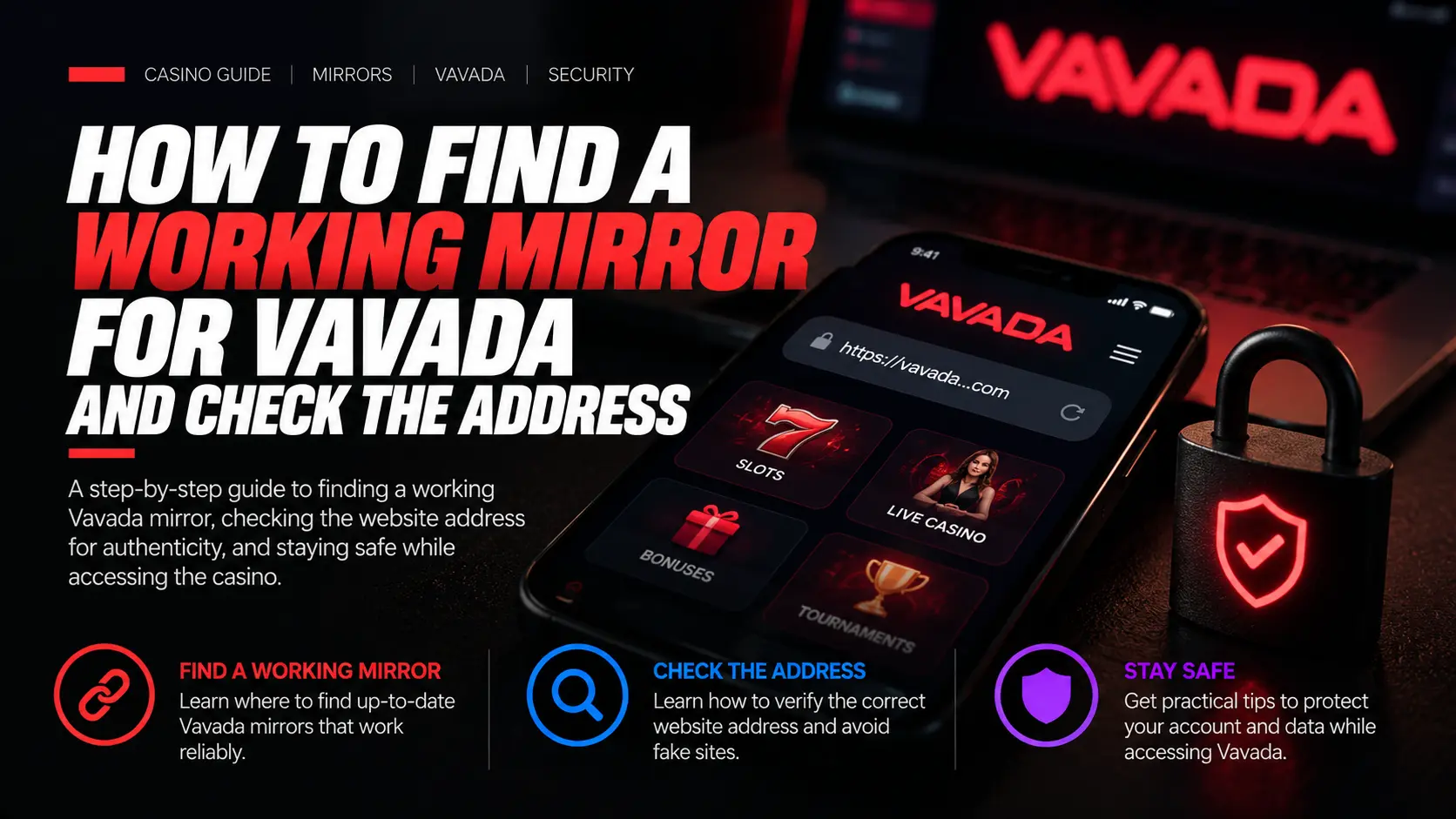
Start with the existing Vavada access route, but enter your password only after checking the source and the final hostname. Account access requires a current, authorized alternative address for the same service—not merely a page with a familiar logo or similar design.
The ToolsGambling owner confirms that the configured affiliate link redirects to Vavada. However, the current destination, account, balance, certificate, licence and ability to withdraw funds have not been independently verified. A static guide cannot promise a single mirror that will always work in every country.
ToolsGambling may earn a commission through the affiliate link. A commercial redirect is not a guarantee that the destination is authentic or that withdrawals will be paid. Further partner information is available on the Vavada page.
If you cannot confirm the destination’s provenance, stop and use an established support channel. Do not choose a contact solely by its name: a matching Telegram account name does not establish that it belongs to the operator.
What is a mirror, and how does it differ from other access methods?
An authorized mirror is an alternative address for the same service whose provenance has been established. It is not a separate account, a downloaded file or any website that happens to look similar.
| Term | What it means | What it does not establish |
|---|---|---|
| Authorized mirror | A confirmed alternative address for the same service | That every similar-looking domain belongs to the operator |
| Phishing clone or fake mirror | A site impersonating the intended service that may steal information | A copied design does not establish authenticity |
| Affiliate intermediate address | An address used for a commercial redirect | That the final site is accessible or authentic |
| VPN | A technology that routes a connection through another network | The site’s provenance or your eligibility to access it |
| APK/app | An APK is an Android installation file; an app is software | Neither is a mirror or a requirement for opening a website address |
Account and balance continuity are conditional on reaching the same authorized service. A login form alone cannot establish that you have reached it. Nor should you assume that every domain has identical bonuses, certificates or available games.
Where can you confirm an address’s provenance?
Confirm the address through a previously verified account or support route, independently verified operator messages, and current terms and legal-entity information. A random search result, copied logo, casino-themed hostname or sender display name is not enough.
In practice:
- Use a contact confirmed independently of the page you are checking.
- Check that a message genuinely came from the operator rather than being forwarded by an unknown person.
- Compare the address with current terms and operator identity information. Those details can also be copied, so a terms page alone is insufficient.
- Recheck bookmarks and old messages before entering a password, submitting identity documents or making a payment.
A bookmark preserves an address, not a guarantee that its destination will remain unchanged. This guide therefore does not provide a rotating list of unverified domains.
The FTC’s phishing guidance likewise recommends contacting an organization through a website or contact you already know, rather than using details supplied in a suspicious message.
How do you check the page before entering a password?
Wait for redirects to finish, read the actual destination hostname, confirm it through a reliable source, and then inspect the connection and operator information. Submitting a username and password must never be your first authenticity test.
- Open the chosen route and let navigation finish. While the address is changing, an intermediate hostname is not necessarily the final destination.
- Read the full hostname in the address bar. Click or tap the address bar if necessary to reveal the complete address. Check the final hostname, not the page title.
- Compare it with reliable operator confirmation. If confirmation is missing or the address differs, do not enter account details.
- Inspect Chrome’s site and connection information. Click or tap the site-information control to the left of the address, then open the available connection details. Its icon and the wording or position of options vary by browser version and device. Where available, inspect the website certificate through those connection details.
- Leave if Chrome displays a certificate or unsafe-site warning. Do not proceed through the warning to log in or disable the check.
- Compare the legal entity and any claimed authorization. Open regulator evidence independently of the page being checked, if such evidence is available. Also establish whether access is permitted in your location.
- Log in only after site identity and local eligibility are established. Otherwise, use an established support channel.
HTTPS provides a secure connection to the displayed site. It does not prove that the intended operator owns that site, that gambling is permitted where you are, or that a withdrawal will succeed. A domain-validated website certificate need not contain the casino company’s name.
These connection checks are explained in Chrome’s official documentation. They are browser-security instructions, not authentication of a Vavada destination.
How do you check a claimed CGA certificate?
If a site claims CGA authorization, check its Certificate of Operation on the real cert.cga.cw service. The exact final domain, operator and current licence status must match.
A company’s Licence Certificate is a different document: it does not by itself authorize a player-facing domain. The distinction is described in the CGA certification policy. If the details do not match or cannot be confirmed, do not treat the licence claim as a reason to log in.
Official CGA policy excerpt explaining checks for the exact domain, operator and current licence status
Documentation excerpt from the CGA’s public certification policy. It explains how to check a claimed domain-specific certificate; it is not an authenticated Vavada certificate or confirmation of Vavada’s licence.
How do you distinguish a hostname from a path or query?
Check the hostname, not the presence of “vavada” somewhere in the address. A brand name in a subdomain, path or query parameter does not establish operator ownership.
The following are synthetic teaching addresses using the reserved .example domain. They are not actual Vavada URLs or a list of trusted or untrusted live sites. They are shown as nonclickable code.
| Synthetic address | Hostname parsed by the browser | Meaning of the brand reference |
|---|---|---|
https://casino.example/account?brand=vavada | casino.example | vavada is a query-parameter value; /account is the path |
https://vavada.login-check.example/ | vavada.login-check.example | vavada is part of a subdomain, not proof of ownership |
https://login-check.example/vavada | login-check.example | /vavada is a path within the site |
In these examples, the browser reads the hostname after https:// and before the next /. The path identifies a location within the site, while the portion after ? contains query parameters. See MDN’s hostname documentation for the technical definition.
What should you do if the site will not open?
First identify where the failure occurs and record the exact error wording. Do not start by clearing all browser data, registering again or reinstalling an app.
| Observation | Possible cause or problem area | Safe action | Stop condition |
|---|---|---|---|
| Other ordinary websites also fail | Network or device issue | Try one normal, unrelated website and check your connection status | Resolve the general connection issue before troubleshooting this route |
| Only one browser or device fails | Local browser or device issue | Check browser updates and the system clock; compare the same confirmed address on another available device | Do not log in if a security warning appears |
| One hostname fails | Address-specific availability issue | Record the final hostname and error; confirm the address through known support | Stop if its provenance cannot be confirmed |
| Name-lookup error or timeout | Name resolution, connection or server issue | Save the exact error and check an unrelated website | Do not attempt to bypass a suspected restriction |
| Certificate warning | Secure-connection validation issue | Check the system date and time; leave if the warning remains | Never enter credentials through the warning |
| Login rejected or account locked | Incorrect credentials or account restriction | Use a previously verified recovery or support route | Do not create a second account or repeat attempts indefinitely |
| Location restriction displayed | Access rules or local restrictions | Stop and clarify your eligibility | Do not look for a way around the restriction |
| Unexpected account or balance after login | Account, service or data mismatch | Stop payment activity, save evidence privately and contact known support | Do not deposit or upload documents until the mismatch is resolved |
Error codes are observations, not diagnoses. They do not prove regulator blocking, fraud or loss of funds. Chrome’s error documentation explains common browser errors.
During an automated check on 13 October 2026, gate707.com returned 404, while vavada.com returned 401 with 403 text. This was a limited, dated observation—not proof that the retained affiliate route fails or that fraud occurred.
A mirror, VPN or app does not guarantee that restrictions will disappear. Changing the connection method does not make prohibited access permissible.
When should you suspect phishing, and what if you shared information?
Stop if a chat agent asks for your password or one-time code, bank or wallet secrets, an unexpected installation, or an “unlock” payment. These demands are warning signs, not ways to verify a website.
Particular red flags include:
- Someone claiming to be support asking you to disclose a password or one-time code.
- Requests for secrets used to access a bank account or wallet.
- An unexpected APK or browser extension you are told to install.
- A fee demanded to unlock an account or release funds.
An unexpected prompt to create a new account is also a reason to stop and confirm the address. By itself, however, it is not conclusive proof of fraud.
If you have already shared information:
- Leave the suspicious page and stop communicating through its contacts.
- Open a previously verified account-recovery route.
- Change the compromised password and any reused passwords on other services.
- Secure your email account by checking its password and available security protections.
- Revoke unexpected sessions where supported, and enable multi-factor authentication (MFA) if offered.
- If financial details were exposed, contact your bank or payment provider through a known channel.
- Save the address, messages and errors without publishing passwords, codes, identity documents or payment details.
- If downloaded software ran, update your security software and scan the device.
These steps follow FTC guidance on tech-support scams. They can reduce further harm, but they do not guarantee account recovery or a refund.
What does a mirror change about accounts, bonuses and withdrawals?
A new hostname does not itself reset account restrictions, KYC, wagering requirements or payment conditions. Being able to open the page and log in does not establish that funds are intact or that a future withdrawal will succeed.
KYC may be required again; it is not universally a one-time process. A bonus is not the same as withdrawable cash, and changing the access address does not remove its terms.
Mirror access does not change game mathematics and is not a reason to deposit. Before any payment action, confirm the current conditions through the authorized service and an established support channel. If the account or balance looks unexpected, pause rather than testing it with another payment.
A phone browser can open an authorized, accessible site. No APK is required to use an address. No native app, app build or specific account settings were tested as part of these checks.
How do local restrictions and personal limits affect access?
Your actual location and the applicable minimum age determine eligibility—not the page language or a claim of an offshore licence. A working domain does not establish permission to gamble.
For Russia, distinguish the FNS licence registry for bookmakers and totalizators from authorization to operate an online casino. An entity’s presence in that registry does not mean its online casino is permitted. This guide does not establish Russian authorization for Vavada. A foreign licence also does not establish local eligibility elsewhere.
If access is restricted, stop. If gambling is becoming difficult to control, do not continue searching for alternative addresses. Where participation is permitted, set time and spending limits in advance and stop when you reach them.
What should you confirm before deciding to log in?
Log in only when the address has a confirmed source, there are no security warnings, and access is permitted for you. If any of these points remains unclear, do not enter your password.
- Navigation has finished, and you have read the full final hostname.
- The address is confirmed independently of the page being checked.
- There are no certificate or unsafe-site warnings.
- Operator identity and any claimed authorization have been checked where evidence is available.
- Your location and age permit participation.
- Nobody is demanding a password in chat, payment secrets, an unexpected installation or an unlock fee.
If the checks fail, save the exact address and error and use an established support channel. Do not use registration, password submission or a deposit to find out whether a site is genuine.
Frequently Asked Questions
A mirror is an alternative address for the same service, provided its provenance has been confirmed. An APK is an Android installation file, not a mirror. You do not need to download software to open a website address.
A confirmed alternative address for the same service should not require a separate account simply because the hostname changed. An unexpected registration prompt is a reason to stop and confirm the address through an established support channel.
Not automatically. A bookmarked address or an old message may stop working or lead somewhere different. Check the final hostname and obtain current confirmation of its provenance before entering credentials.
Yes. A phone browser can open an authorized, accessible website. No APK is required to use the address. Availability still depends on your connection and applicable restrictions.
No. HTTPS protects the connection to the displayed site. It does not establish ownership by the intended operator, permission to gamble in your location or the ability to withdraw funds.
No. Account access alone does not establish that funds are intact or that a future withdrawal will succeed. Account and balance continuity are conditional on accessing the same authorized service.
Evgeniy Volkov
Verified ExpertFullstack developer with a background in mathematics. I build the calculators and game-style tools on ToolsGambling with Pixi.js and modern web tech, and every result uses transparent probability formulas you can verify yourself.