











Contents
To register on 1win, open the ToolsGambling partner directory, go to the 1win partner page and follow the link listed there. Choose an appropriate currency, enter your own phone number and email address, create a password, open the promo code field and type toolsgambling without spaces. Check your details and the current terms before submitting.
These instructions are for adults who are eligible under local law and the operator’s rules. If you already have an account, use login or account recovery rather than registering again.
What to Check Before Opening the Form
First, check that you meet the operator’s age and country requirements and that local law allows you to use the service. The RUB currency option shown in the Russian form does not establish that registration is permitted from Russia.
The partner page provides a route to the operator, but it does not replace checking eligibility and the current rules. If your country is unavailable, do not select another country to bypass the restriction; ask support about availability.
The provided English screenshot shows the registration fields and a typed promo code. It does not demonstrate successful account creation.
Provided English 1win registration screenshot showing currency, phone, email, password and the Promo code field containing toolsgambling
Provided screenshot of the English 1win form. Personal contact details and password values are redacted for privacy. The capture date, source domain and region are unknown; the code is typed, but the form is not shown as submitted or the code as accepted.
How to Complete the Registration Form
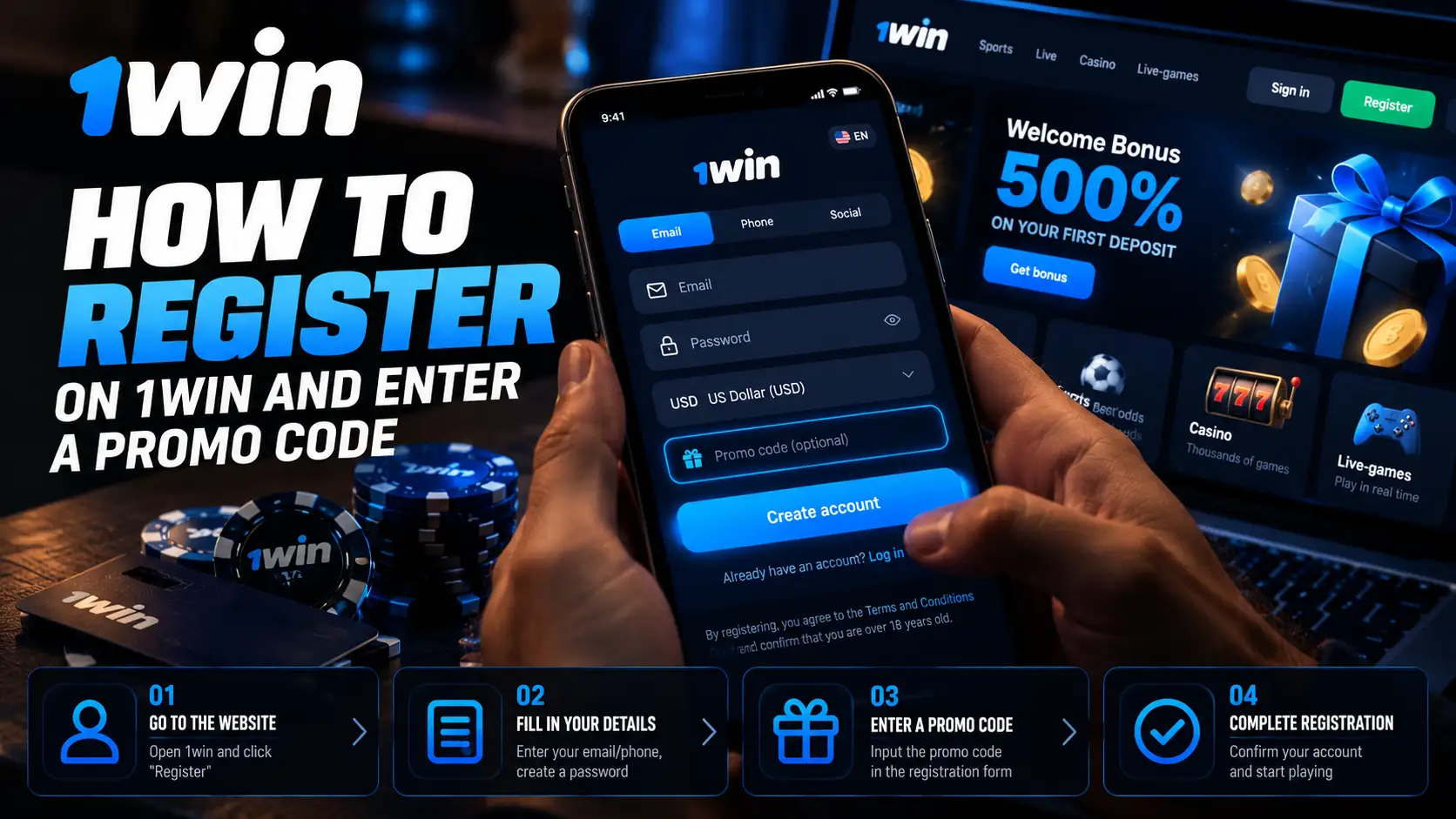
Complete the displayed fields with your own accurate information, review the agreement and submit only if you are eligible. The supplied form shows a currency selector, phone and email fields, a password field, a promo code field, an agreement checkbox and a Register button.
- Choose an appropriate currency. Use the currency dropdown and check your selection before submitting. RUB appears in the supplied Russian form, but a currency option is not proof of availability in a particular country.
- Enter your own phone number. Select the correct country calling code and enter a number you can access. Check both the country code and the number for mistakes.
- Enter your email address. Use an address you can access. It may be needed for service messages or account recovery.
- Create a strong, unique password. The supplied form states a minimum of 8 characters. Do not reuse your email password or a password from another account; meeting the minimum length alone does not make a password strong.
- Open the promo code field and enter the code. The Russian form has a control for adding a promo code. In the supplied English screenshot, the field is already expanded and labelled Promo code. Type
toolsgamblingwithout spaces. - Review your information and the terms. Read the current agreement and any linked information. Select the agreement checkbox only if you accept the terms and meet the requirements.
- Submit using Register. This is an action you can take yourself if eligible. The supplied material does not establish that registration or code acceptance was tested.
- Follow the prompts that actually appear. If the service requests contact confirmation after submission, follow those instructions. Do not assume that it will send an SMS code or an email link.
The English screenshot shows where the code goes, not whether it works. A typed code, an accepted code and an awarded bonus are three different things.
Which Sign-Up Options Are Shown, and How Does Mobile Registration Work?
The supported method is the shared form with both phone and email fields; alternative sign-up icons are also visible. The supplied screenshots do not show separate phone-only, email-only or one-click registration tabs.
If you choose an alternative icon, follow the prompts it opens. The provider, availability and promo code process may differ. Do not assume an alternative method is faster or more private. When returning to your account, use the same login method you used to create it.
In a mobile browser, follow the same field sequence: currency, contact details, password, promo code and agreement. For installation instructions rather than browser registration, see the separate 1win app guide.
What Does the toolsgambling Offer Mean?
Our 1win partner card lists toolsgambling and advertises +500% on first deposits and 200 free spins. This is information in our partner record, not proof that the operator currently accepts the code or makes the package available to every user.
“On first deposits” does not establish the bonus percentage for each deposit. It should not automatically be interpreted as a 500% bonus on the first deposit. The exact stages and current rules for the complete offer remain unverified.
Before depositing, check:
- Eligibility: country, age, new-user status and any other restrictions.
- Award process: which deposits qualify, whether you must select a bonus separately and how code acceptance is confirmed.
- Wagering basis and multiplier: whether the requirement applies to the bonus alone or to the bonus plus deposit.
- Deadline: how long you have to claim and clear a bonus.
- Max bet rule: the stake limit while clearing a bonus.
- Eligible games: which games qualify and how much of each stake counts towards turnover.
- Payment and amount restrictions: eligible payment methods, minimum amounts, bonus caps and withdrawal limits, where applicable.
If the rules are unavailable or unclear, ask support before depositing. Entering the code does not confirm acceptance, and acceptance alone does not prove that a reward has been credited. See the 1win promo code guide for the fuller offer discussion.
How to Read a Wagering Requirement: A Hypothetical Example
A wagering requirement describes betting turnover, not an extra deposit you must make. The following is an educational model, not 1win’s terms or a calculation of the +500% package.
Assume a deposit of 100 currency units, a hypothetical 100% bonus worth another 100, a 50× wagering requirement and 100% game contribution. The result depends on the wagering basis:
| Wagering basis | Hypothetical calculation | Required turnover |
|---|---|---|
| Bonus only | 100 × 50 | 5000 |
| Bonus plus deposit | (100 + 100) × 50 | 10000 |
In the wagering calculator, select Deposit Bonus, enter a deposit of 100, a bonus percentage of 100 and a requirement of 50. Choose Bonus or Bonus + Deposit as the basis and set game contribution to 100%. These whole-number inputs produce exact results, so rounding does not affect this example.
Turnover of 5000 does not mean you need to deposit another 5000. It is the total qualifying stake amount, not a guaranteed remaining balance or withdrawable amount. The calculator calculates required turnover; it does not predict game outcomes or activate a promo code.
First Login, Account Recovery and KYC Verification
After creating an account, log in using the method you chose during registration and follow the service’s actual requests. Confirming a phone number or email address is separate from KYC verification.
Contact confirmation checks that you can access a number or inbox. KYC verification concerns identity checks under the operator’s requirements. Keep your profile information accurate and follow the current instructions if verification is requested. The supplied evidence does not establish a universal document list, processing time or stage at which verification must occur.
If you cannot log in, use the available account recovery option. If you have lost access to your registered contacts, explain the situation to support. Creating a second account is not a way to recover the first.
What to Do If Registration Fails
Read the specific error and address its cause. If the issue concerns country availability or promo code acceptance, ask support rather than bypassing restrictions or treating the absence of an error as proof of a bonus.
| Problem | What to do |
|---|---|
| Incorrect phone number or email | Before submitting, check the country calling code, number and email address. If the account already exists, use any available contact-update option or ask support. |
| No confirmation code arrives | Only if the form actually requests phone confirmation: check your number and country code, then follow any available resend instructions. Contact support if the problem continues. |
| An account already exists | Use login or account recovery. Do not create another account to bypass the error. |
| The promo code field is missing | Look for the control that expands the promo code field. If your form has no such control, ask support how the code can be applied. |
| Code acceptance is unconfirmed | Check that you entered toolsgambling without spaces and read the form’s response. If there is no explicit confirmation, ask support about the code’s status before depositing. |
| Register is disabled | Check required fields, password length and the agreement checkbox. Read messages beside the fields; do not accept terms you do not agree to. |
| Your country is unavailable | Do not misstate your country or bypass the restriction. Ask support about availability; if registration is prohibited, do not continue. |
Before submitting, check your information, your eligibility and the exact spelling of toolsgambling. Before depositing, separately confirm the code’s status and understand the current bonus terms: a completed form does not establish either.
Frequently Asked Questions
The provided screenshots show a shared form with both phone and email fields, plus alternative sign-up icons. They do not show separate one-click, phone-only or email-only tabs. Check the options available in the form you open.
No. The presence of Russian rubles in the currency list does not establish availability in Russia or any other country. Check local law and the operator's country and age requirements.
Open the login screen and use the available account recovery option. Follow the service's actual prompts. If you no longer have access to your registered contacts, ask support for help rather than creating a second account.
No. Typing toolsgambling does not confirm that the code was accepted or that a bonus was awarded. Check the form's response and the current offer terms. The provided screenshot shows the typed code, but not submission or acceptance.
Only entry in the registration promo code field is supported by the supplied evidence. Adding it after account creation has not been verified. A later voucher field should not be assumed to serve the same purpose; ask support.
Evgeniy Volkov
Verified ExpertFullstack developer with a background in mathematics. I build the calculators and game-style tools on ToolsGambling with Pixi.js and modern web tech, and every result uses transparent probability formulas you can verify yourself.